Which material?
A flat outline does not establish grade or thickness. Ask for the material specification, tolerances and any surface requirements.

 LEVRTEK 2D
A PRACTICAL RESOURCE FOR FABRICATION RFQs
Bring the customer’s drawing and requirements together before you start estimating. Use the checklist. Take the brief. Keep the detail.
Free resource. No signup. Checklist selections stay in this visit.
FILL THE GAPS BEFORE YOU PRICE THE JOB
A flat outline does not establish grade or thickness. Ask for the material specification, tolerances and any surface requirements.
Separate the profile cut from folding, tapping, welding, coating and other operations. Record what the customer expects you to supply.
Keep the quoted revision clear. When the drawing changes, review the new geometry and the requirements affected by that change.
YOUR NEXT RFQ / SIX THINGS TO REVIEW
The analyser gives you geometry. A useful quote also needs the customer’s specification and your workshop’s inputs. Use this checklist to bring them together.
Open free DXF analyserTake a sample reportThis checklist records your review; it does not analyse a file or approve a job for manufacture.
TAKE THE STRUCTURE INTO YOUR WORKFLOW
Download the plain-text template, fill in the agreed requirements and keep it with your customer’s drawing. It opens in a text editor and can be pasted into your RFQ email or job notes.
Download RFQ briefTXT / Blank fields / No customer data collected
REAL PRODUCT OUTPUT / FICTIONAL TEST DRAWING
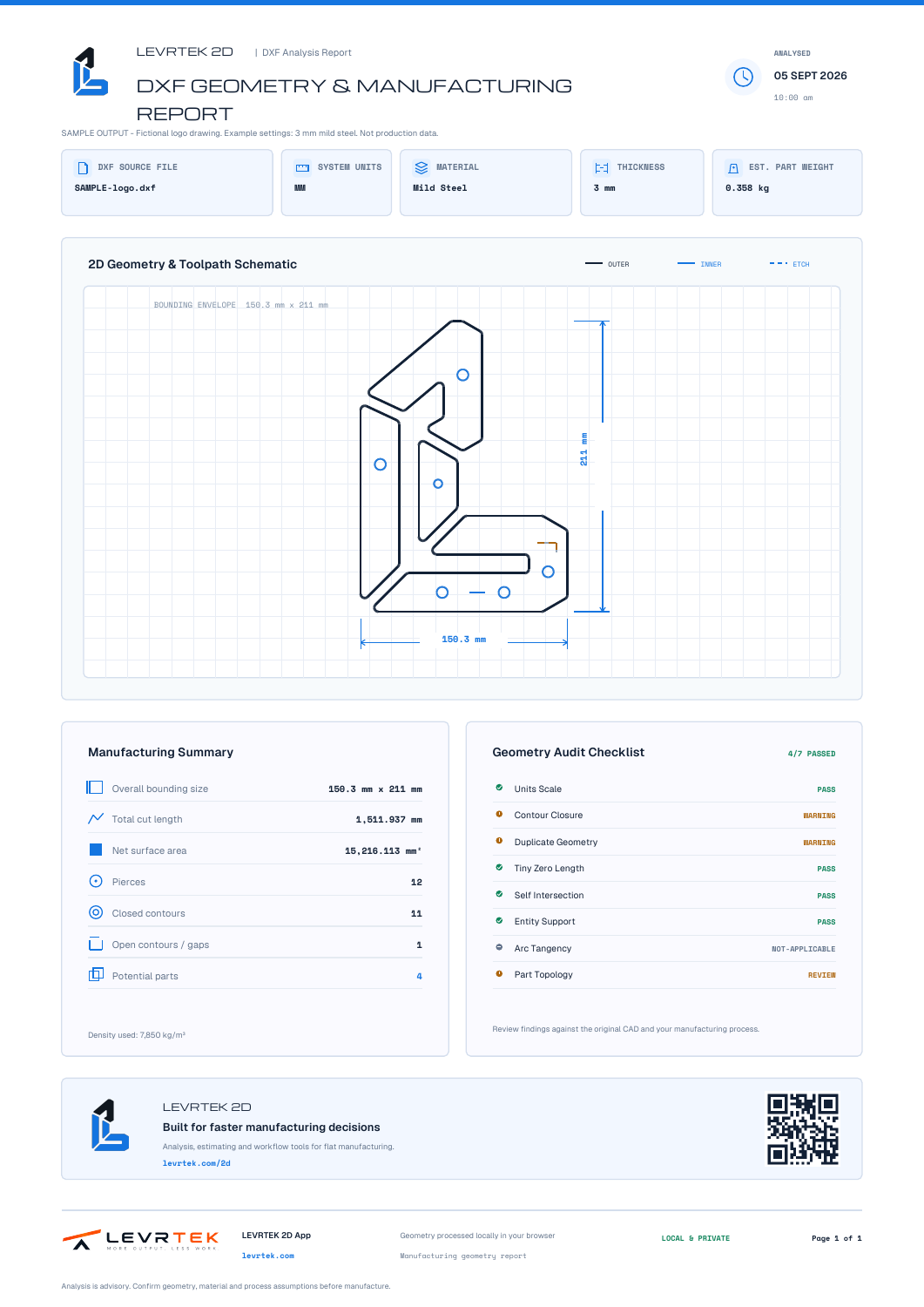
This PDF comes from the actual DXF analyser. It keeps the sample geometry, measurements and review findings together in one reference.
Download sample PDFThe sample intentionally contains geometry issues. Example material settings: 3 mm mild steel.
BEFORE YOU START
No. The checklist records items you have reviewed. Open a DXF in the free analyser to inspect its geometry and measurements, then use the checklist to capture the wider RFQ requirements.
Selections remain in memory for this page visit. Reloading or leaving the page clears them. Download the brief and keep your review notes in your own workflow if you need a lasting record.
Yes. Fill the blank fields with the agreed requirements and attach the relevant drawing and revision. Review your recipient, information and requirements before sending. The download does not send an email or an RFQ.
No. Confirm the drawing, units, dimensions, materials, tolerances, revisions and machine requirements before manufacture. The checklist and analysis support your review; neither approves the job.
YOUR DRAWING. YOUR NEXT STEP.
Start with free DXF analysis in your browser. Use your own drawing or explore the sample.
A PRACTICAL NEXT STEP
Trace logos and silhouettes with separate cut and etch layers.
FREE CONVERTERTurn high-contrast photos and scans into scaled DXF geometry.
RESOURCE LIBRARYFind the right converter, calculator or drawing-review guide.
FREE CONVERTERConvert vector artwork and check its physical dimensions.
FREE CONVERTERInspect supported legacy Illustrator paths as drawing geometry.
FREE CONVERTERRead supported ASCII EPS outlines and verify the result.
FREE CALCULATORTurn sheet dimensions into weight and an entered material cost.
FREE CALCULATORSeparate cutting, piercing and setup with your own machine inputs.
FREE CONVERTEROpen a DWG as a DXF, then check the part before you quote.
DRAWING REVIEWSee the cutting geometry before you put a price against it.
ESTIMATING WORKFLOWWork through the costs behind an estimate, using your own inputs.